
Your first act
Thirty seconds on a phone, and the first leaf on the class tree.
Pick the first thing you see that belongs on the list: water shared, a quarrel calmed, a plant watered, a hard truth told. Then open the app and write it down. The whole thing takes about thirty seconds.
The four taps
- Record an act at the top of every screen.
- Which class? Tap the class.
- Who did it? Tap the child, or several children if they did it together.
- What did they do? Tap the kind of goodness, then the act. Add a line in your own words if you like; it is what the family reads and what is read aloud in the circle.
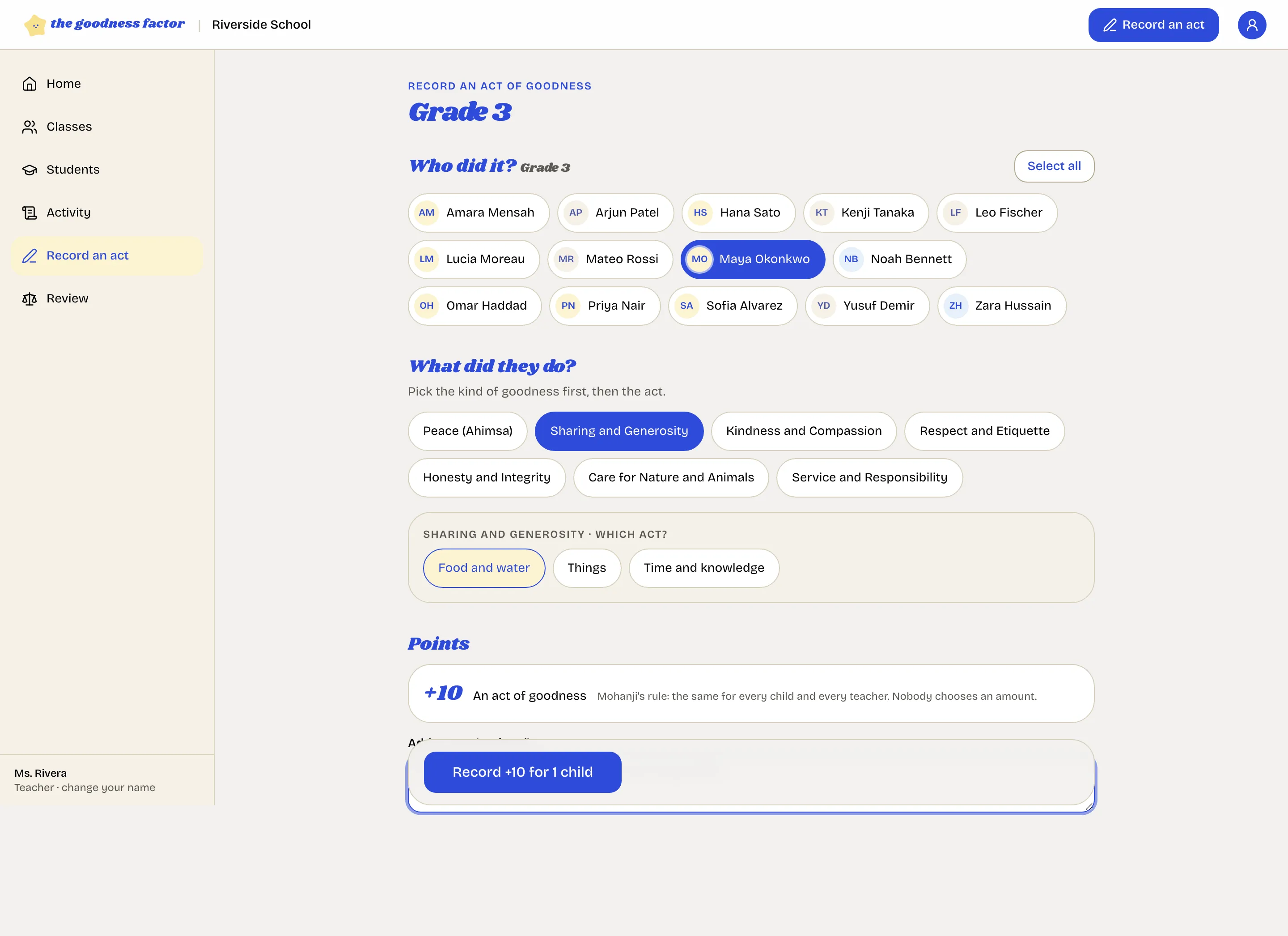
The points are shown before you confirm: ten, always. Nobody chooses an amount.
What just happened
The child has ten points. The class tree has a leaf. The entry carries your name, the date and your words, and it can never be edited, only added to. If the family is linked, they see it the same day.
The first week
By Friday, aim for every child in the class to have been seen at least once. The counselor's home page lists every child with no act in two weeks, and each teacher gets the names in a Monday email, so nobody is overlooked. On Friday, confirm the peaceful week for everyone who harmed no one, and take a few minutes for the circle.
Next
The first weeks: the rhythm that keeps it going.