
Record an act
The thirty-second screen: which class, who did it, what they did, a line in your words.
Recording an act takes four taps and, if you like, one sentence. Do it when you see the act, on your phone, in the corridor; the entry is dated to the moment and carries your name.
Step by step
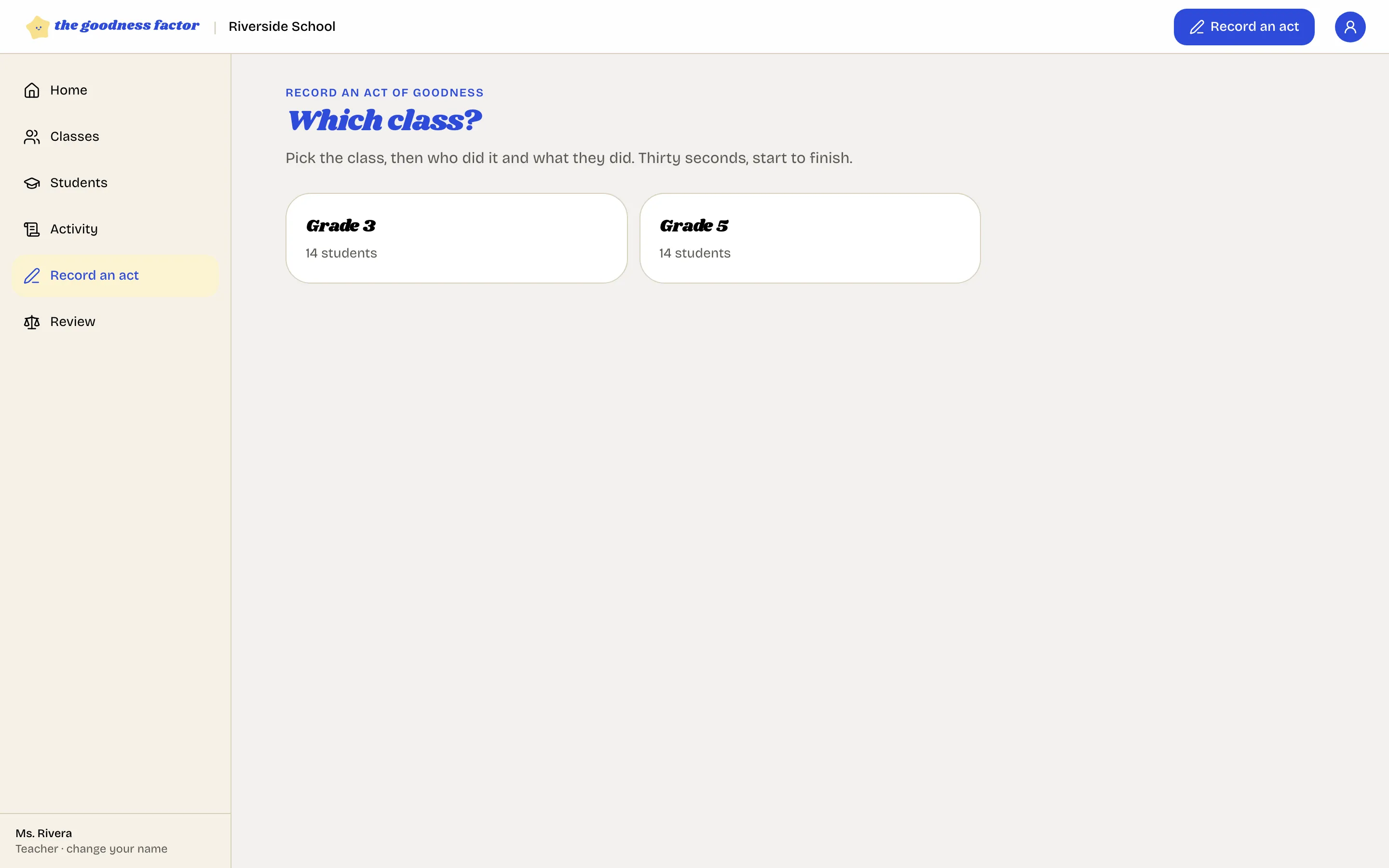
Which class?
Tap Record an act in the top bar, then the class. You see only the classes you are assigned to.
Who did it?
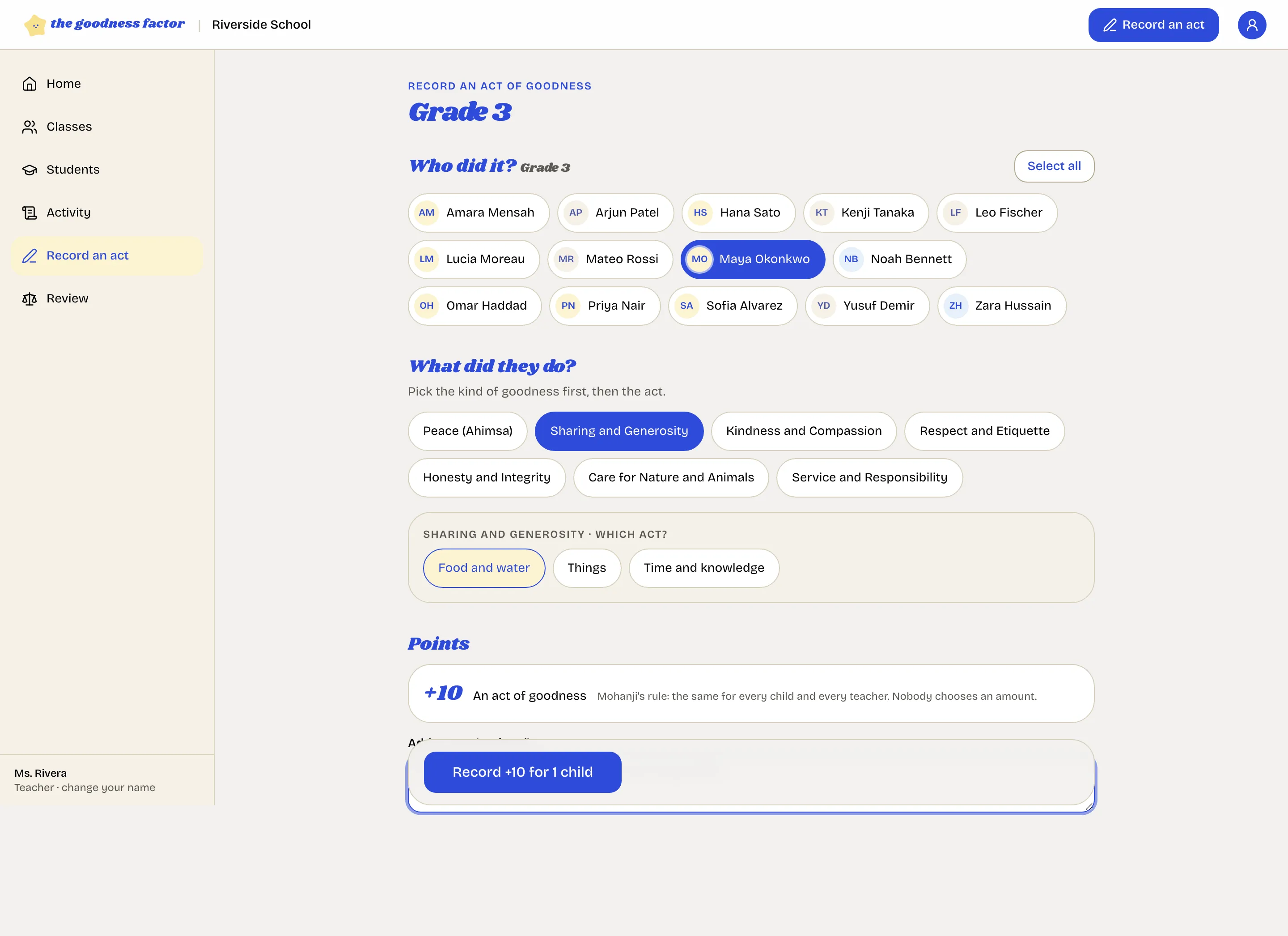
Tap the child. Tap several if they did it together, or Select all when the whole class did: each child gets the act and the points in their own record.
What did they do?
Tap the kind of goodness, then the act. The act the class is focusing on this week is marked This week so it is quick to find. If the school has added its own acts, they are in the same list.
A note, in your words (optional)
One line on what you saw: "Shared her water with a classmate who forgot theirs." The family reads it the same day, and it is what the class hears in Friday's circle. Keep it to what happened; no grades, no comparisons.
Confirm
The button says what will happen, for example "Record +10 for 1 child". Tap it and the entry is written.
What makes an act
An act of goodness is something a child did for someone or something else, beyond what was expected: not sitting still, not finishing homework. If you saw it and it is on the list, record it. If you are unsure, The acts of goodness has the test and the examples for each age.
Three rules
- You saw it. Only the teacher who saw an act writes it down. If a colleague tells you about one, they record it.
- Ten points, always. Nobody chooses an amount, so no teacher can favor a child or be accused of it.
- Nothing is edited. If you recorded the wrong act or the wrong child, use "Question this entry" on the entry; the review board puts it right with a new entry. Questions and the review board
On a phone
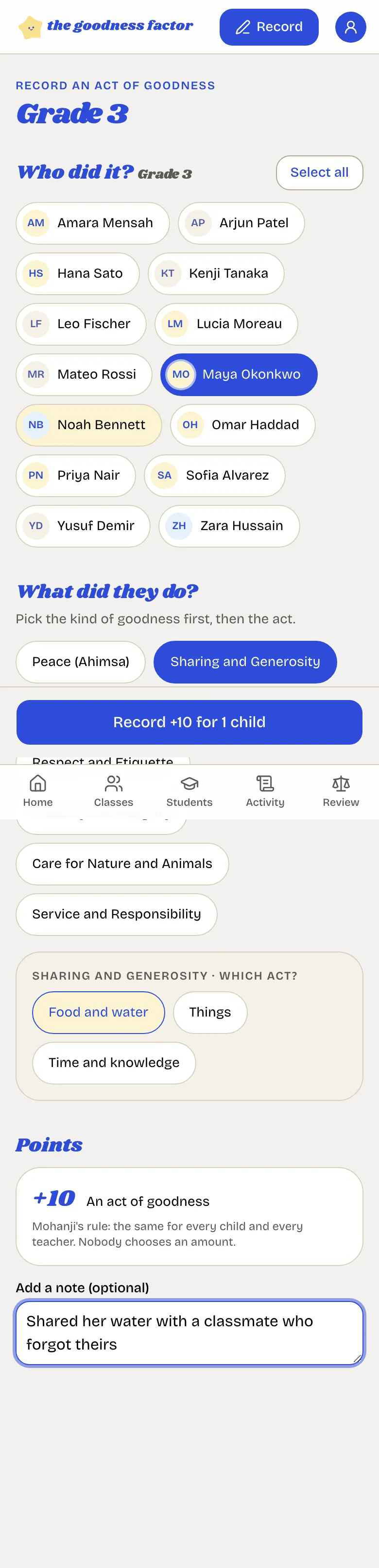
No signal? Record anyway. The entry waits on your phone and is sent the moment you are back online. Recording with no signal