
A peaceful week
Once a week, one tap: five points for every child who harmed no one. The app calls it Harmony week.
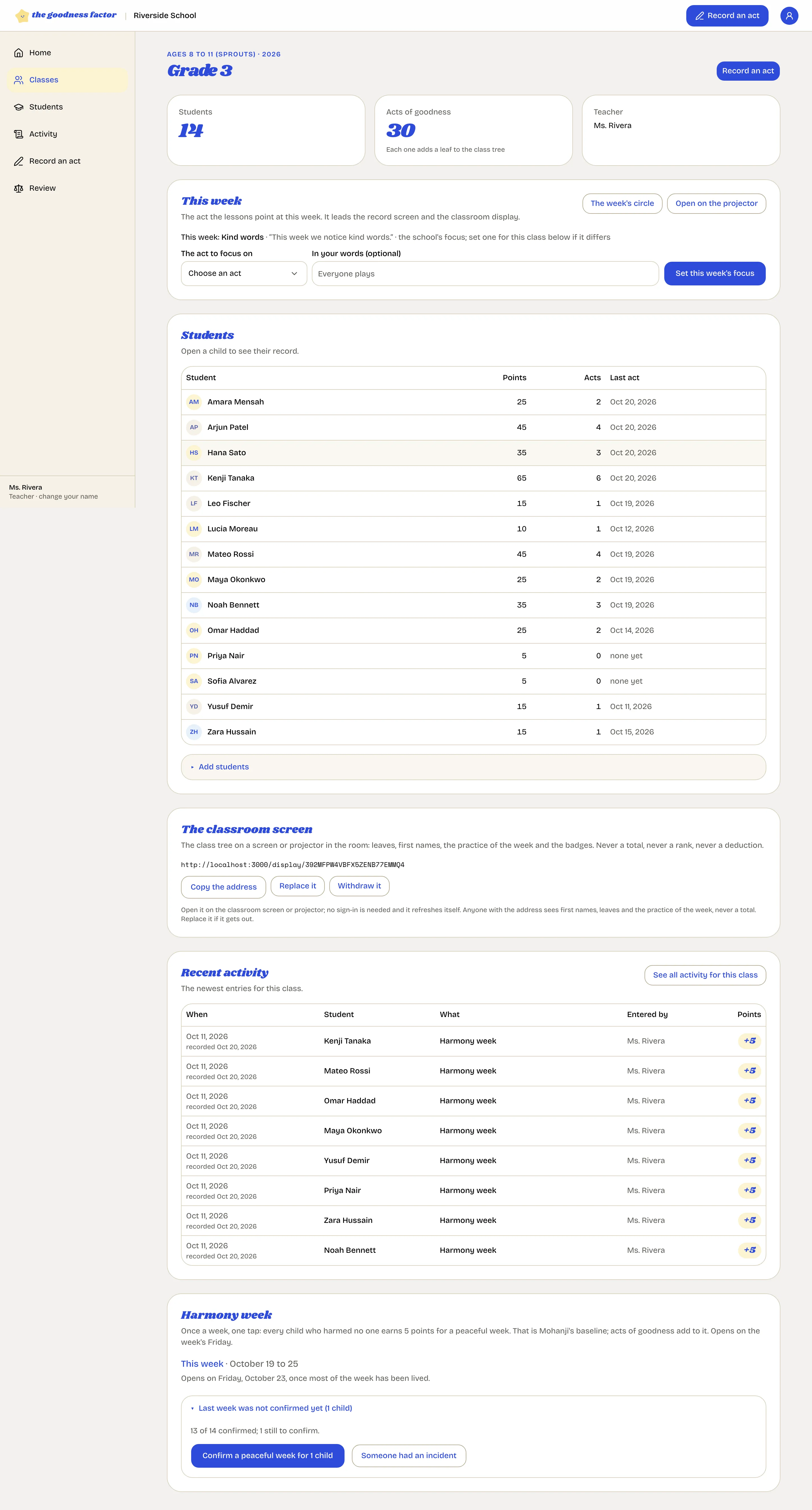
Mohanji's baseline: everybody gets five points for a week without harming anyone, in word or deed. In the app it is called Harmony week, and it is one tap on Friday.
Confirm the week
- Open the class from Home or Classes.
- At the bottom of the class page, find Harmony week. This week's panel opens on Friday, once most of the week has been lived.
- If a child did harm someone this week, mark them as an exception. Everyone else is confirmed together.
- Confirm. Every confirmed child has five points and one entry, with your name on it.
Missed a Friday
Last week's panel stays open, and so does any week in the last eight. Confirm it when you can; the entries are dated to the week they belong to.
Exceptions
An exception means the child does not receive the five points for that week, and nothing else: no deduction, no entry, no note. If a child did real harm, that goes to the counselor and the head, not into the peaceful week. See When something goes wrong.
A reminder on Friday afternoon
If a class has not been confirmed by Friday at two in the afternoon, its teachers get one email. You can switch it off on your account page.
If the school has it switched off
Some schools begin with acts of goodness alone and add the peaceful week later. The head turns it on under Settings, School.