
Public pages
The pages anyone can open without signing in, and what each one shows and never shows.
A few pages are open to everyone on purpose: so a family can check a certificate, an auditor can check the record's fingerprints, and anyone can write to a school's review board. None of them shows a child's name.
Check a certificate
goodnessfactor.com/verify/certificate
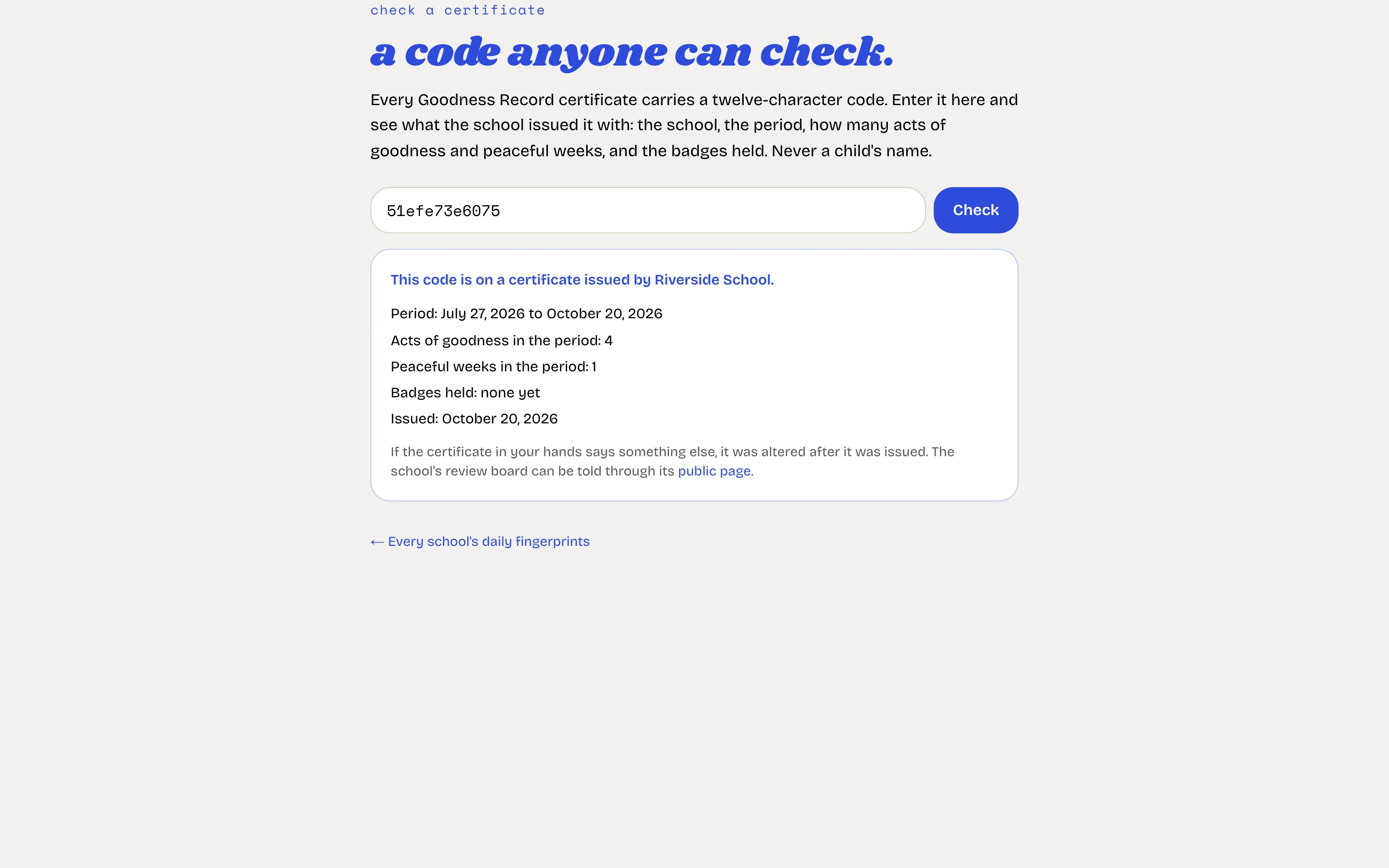
Type the twelve-character code printed on a Goodness Record certificate. The page shows what the school issued it with: the school, the period, how many acts of goodness and peaceful weeks, and the badges held. Never the child's name. If the paper in your hands says something else, it was altered after it was issued.
A school's daily fingerprints
goodnessfactor.com/verify/your-school
Each night the school's record is reduced to one fingerprint and timestamped by an independent public service. This page lists every day with entries, its fingerprint and whether the timestamp is confirmed. Open a day to see its entry hashes, recompute the fingerprint in your own browser and download the proof. Nothing on the page identifies a child, a teacher or an act. The head finds the school's own address under Settings, Integrity.
Raise a concern with a school
goodnessfactor.com/verify/your-school/concern
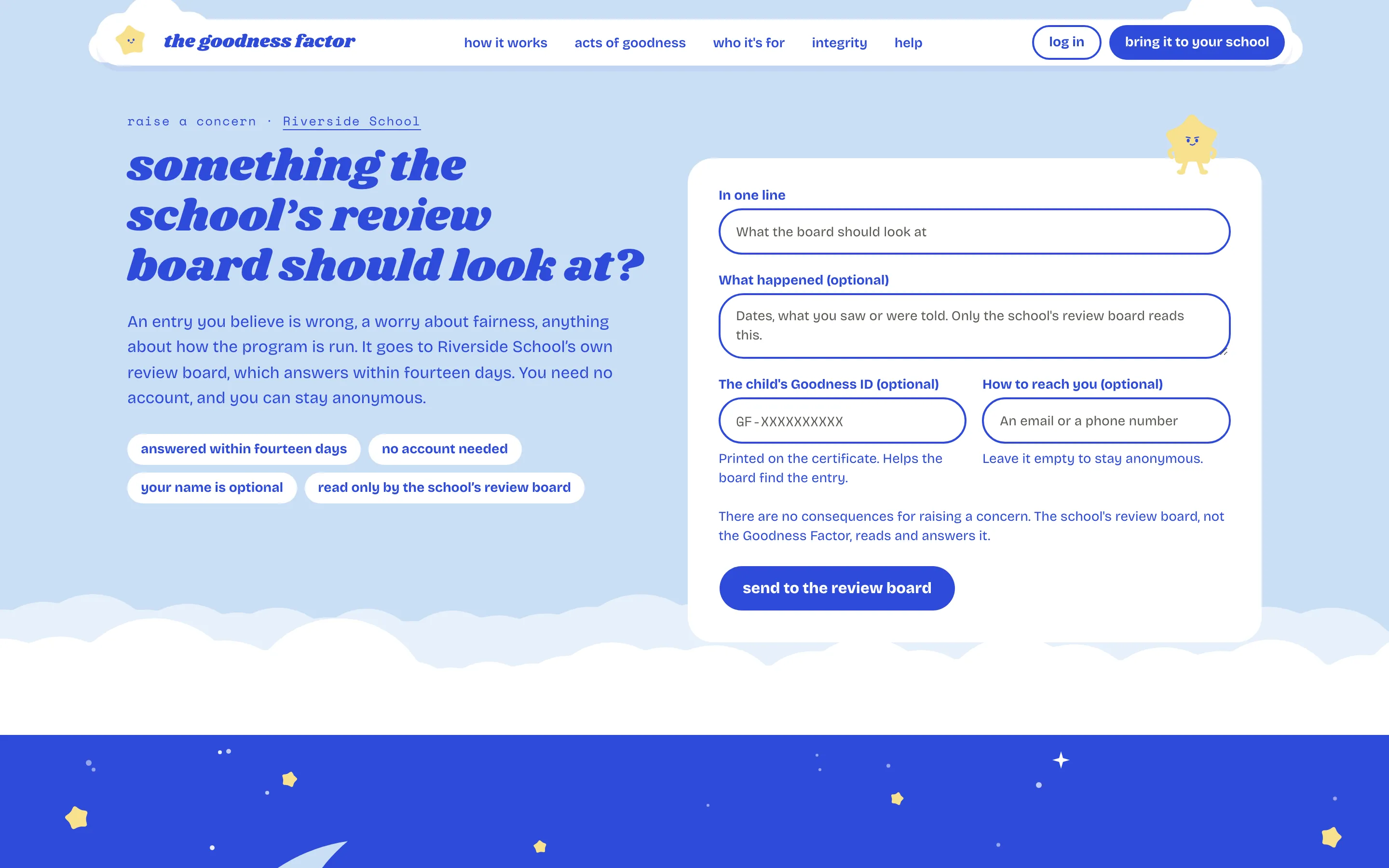
A form that goes straight to the school's review board. No account, your name optional, an answer within fourteen days. If you have the code from a certificate, it helps the board find the entry.
The classroom screen
goodnessfactor.com/display/a-key
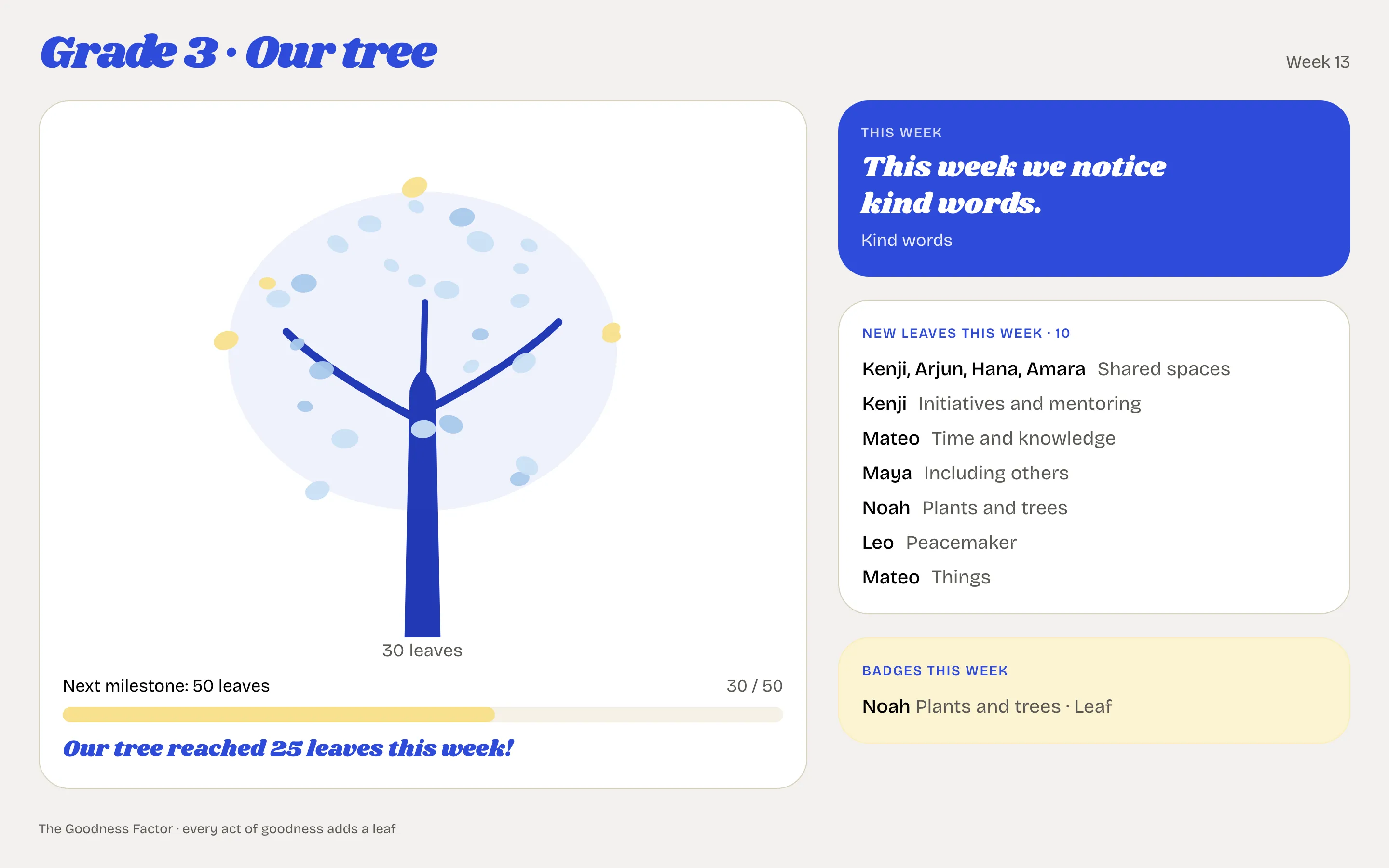
A class's tree on a screen or projector: the leaves added this week, first names, the focus of the week and the badges reached. Never a total, never a rank, never a deduction. The address is made by the class's teacher or the head, and can be replaced the moment it gets out. See The classroom screen.
The acts of goodness
goodnessfactor.com/acts-of-goodness
Mohanji's catalog of the twenty-one acts, with examples for every age. The same list every teacher records from. See The acts of goodness.