
Your part
The head of the school sets the school up, sees it at a glance, and is the only one who can deduct.
In the app the head of the school is the Admin: the role that creates classes, invites people, changes settings, sits on the review board, and is the only one who can record a deduction, after a complaint has been given and checked. The head can also do everything a teacher or a counselor can.
What only the head does
- Deductions, after a checked complaint. Deductions
- The team: invite staff, change roles, remove access. Your team
- Settings: the school's name and clock, the peaceful week on or off, the family view, the kinds of deduction, the school's own acts, the review board's members. Settings
- The integrity check and the school's public verification page. The record's integrity
- The review board, always a member; where it has two or more, one proposes and another confirms. The review board
The school at a glance
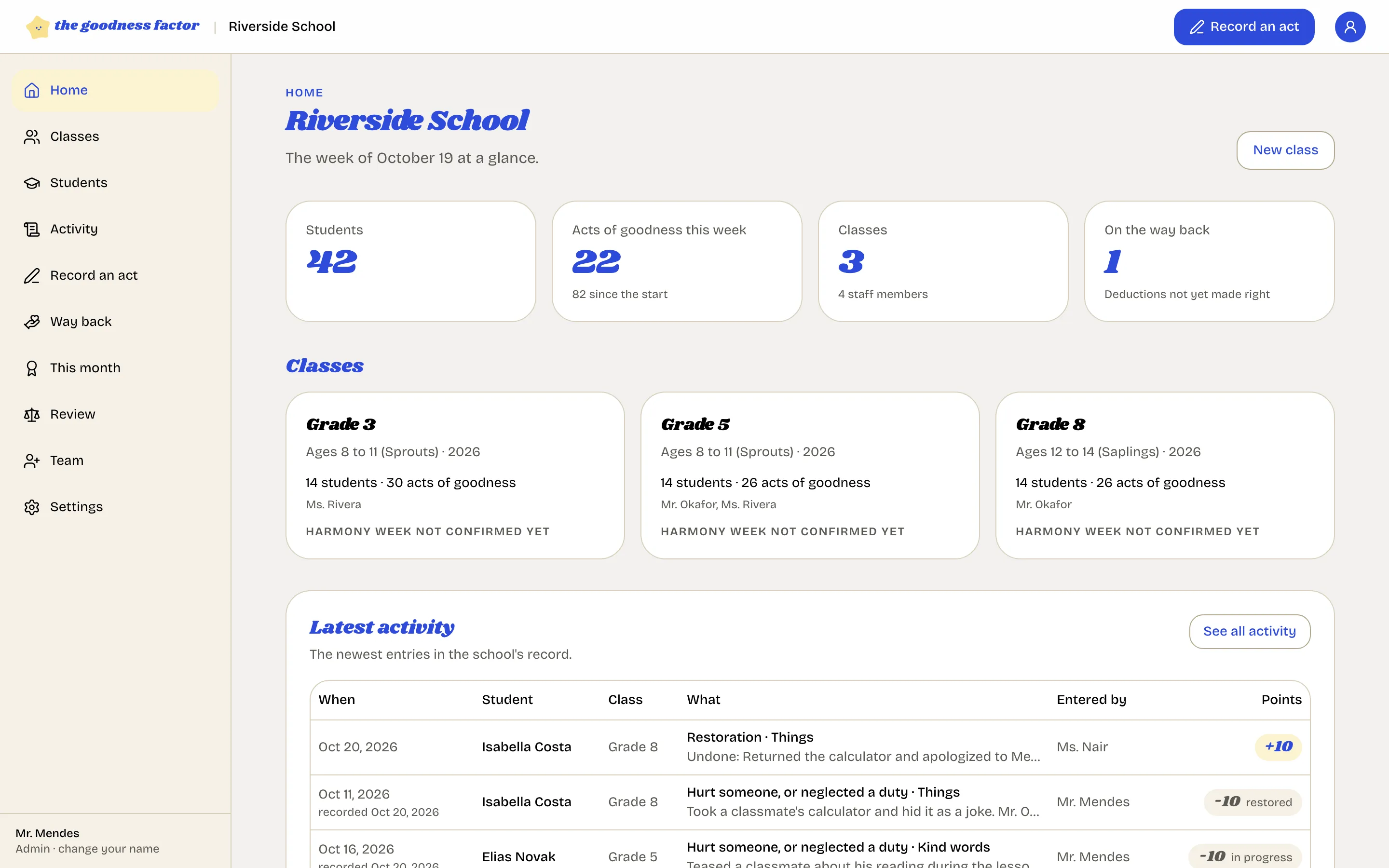
| Where | What |
|---|---|
| Home | This week's numbers, every class and its peaceful week, the latest entries, the open way back, children not noticed |
| Classes and Students | Every class and every child; open one for its page |
| Activity | Every entry in the school, filtered, and a download |
| Way back | Every open case, oldest first |
| This month | Every child recognized this month, for assembly |
| Review | The board's cases |
| Team | Invites and staff |
| Settings | School, Points, Acts, Integrity, Review board |
Activity
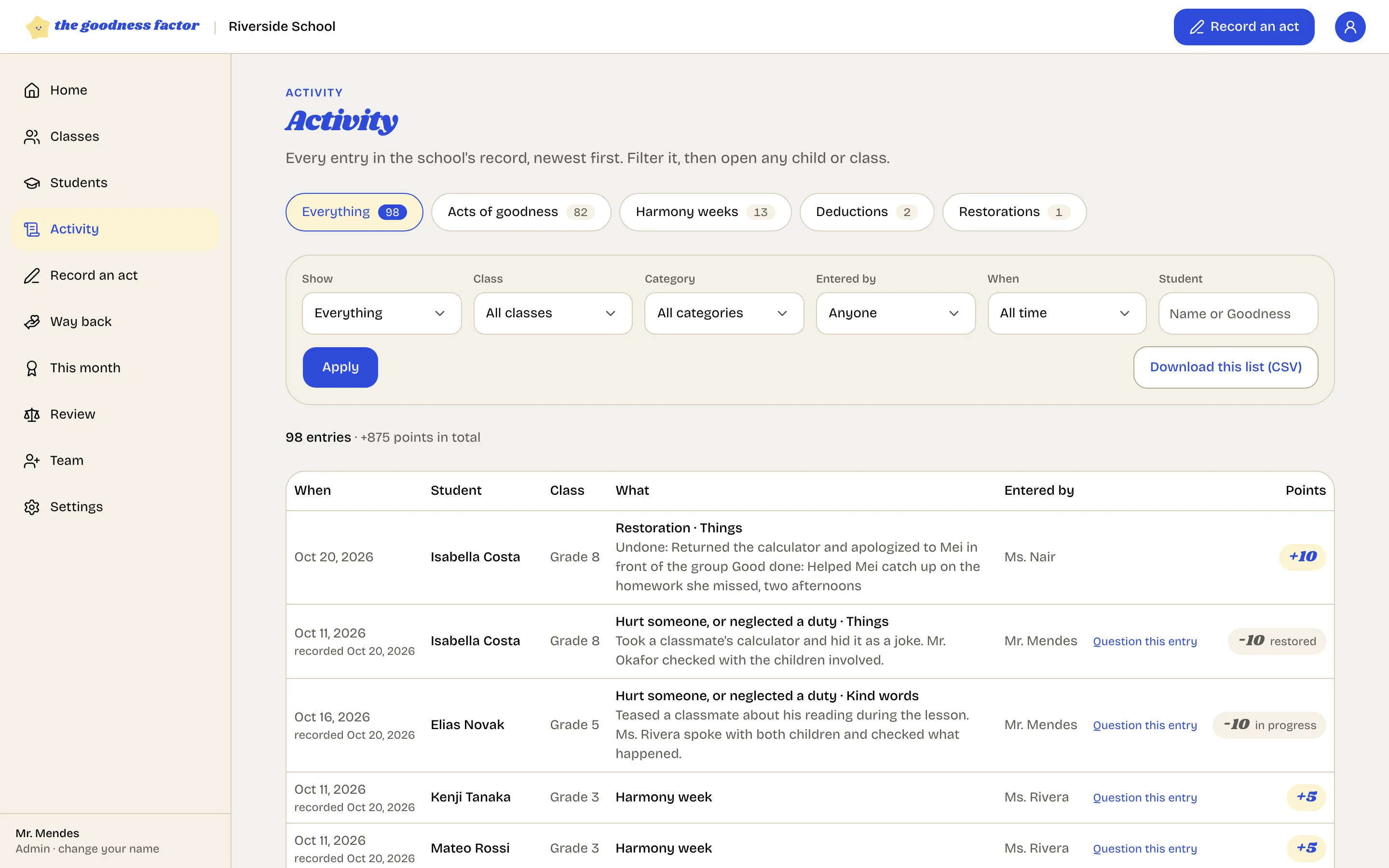
Every entry in the school's record, newest first: filter by what (goodness only, or harm and the way back), class, kind of goodness, who entered it, when, or one child. Download this list gives a spreadsheet of what you filtered. Every entry has Question this entry for the board.
Two things to decide at the start
Whether the peaceful week is on from day one or added later, and when to open the family view. Both are switches under Settings, School, and both can wait until the teachers have found their feet.